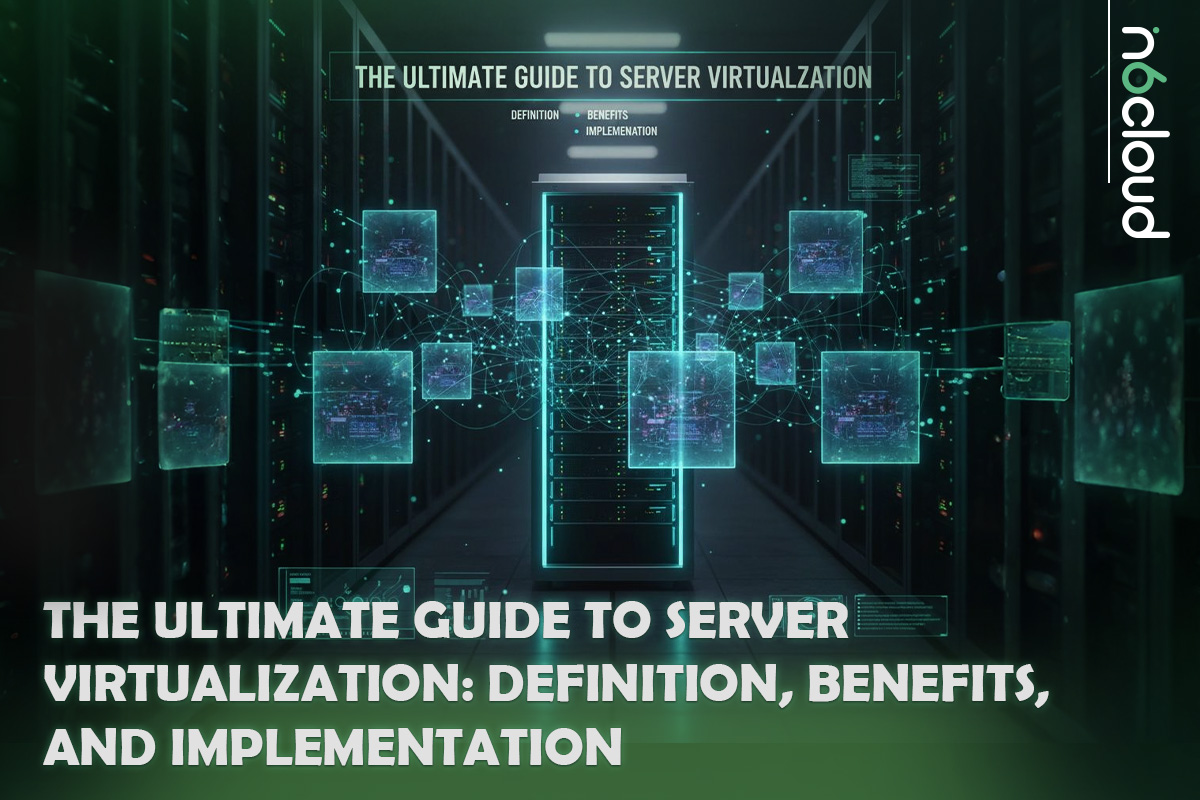
Server virtualization has become one of the most important technologies in modern IT infrastructure. Whether you manage on-premises servers, operate a private cloud, or support applications in a hybrid environment, virtualization is the foundation that enables flexible, scalable, and cost-efficient computing. By allowing multiple operating systems and workloads to run on a single physical machine, it unlocks higher efficiency, better resource utilization, and simplified management across the entire datacenter.
For IT managers, system administrators, DevOps engineers, and CTOs, understanding how virtualization works and knowing how different hypervisors compare is essential for making informed infrastructure decisions. Every part of your environment is shaped by the way you deploy and optimize virtualization, from choosing the right platform to improving performance, preventing VM sprawl, and strengthening disaster recovery.
This guide provides a complete and practical overview of server virtualization. You will learn what virtualization is, how it works, the different types of hypervisors, the benefits it offers to organizations, and the best practices for designing and managing virtualized environments. Whether you are planning a new deployment or improving an existing one, this resource will help you build a more efficient, resilient, and future-ready infrastructure.
Understanding Server Virtualization (Definition and Importance)
What Exactly Is Server Virtualization?
Server virtualization is the process of dividing a single physical server into multiple isolated virtual machines (VMs). Each VM functions as an independent system with its own operating system, dedicated resources, and applications. Instead of assigning one server to one workload, virtualization makes it possible to run many workloads at the same time on a single physical machine. This significantly improves hardware efficiency and reduces operational and capital costs.
The central idea is the separation of physical resources from the operating system. CPU cores, memory, storage, and network interfaces are abstracted and presented to each VM in a controlled, isolated manner. This flexibility helps IT teams deploy and scale applications more efficiently than with traditional dedicated hardware. Virtualization became a standard solution because physical servers were often underutilized, and organizations needed a way to run more workloads without adding more hardware. As a result, virtualization has become a key building block of modern cloud environments.
The Hypervisor: The Core Virtualization Engine
The hypervisor is the software layer that enables virtualization. It sits between the hardware and the virtual machines and manages how resources are assigned, scheduled, and isolated.
A hypervisor provides several essential functions:
- Hardware Abstraction: It presents physical CPU resources, memory, disk storage, and network interfaces to each VM as virtual components.
- Resource Scheduling: It distributes CPU time, memory access, and I/O operations across all VMs based on each VM’s workload requirements.
- Isolation: It prevents issues in one VM from affecting others, ensuring a stable and secure environment.
- Performance Optimization: It uses technologies such as CPU pinning, memory ballooning, and hardware-assisted virtualization features, such as Intel VT-x and AMD-V.
The hypervisor is the engine that enables multiple operating systems to run simultaneously on a single server while maintaining performance and security.
VMs, Physical Servers, and the Path to the Cloud
A physical server uses all its compute resources for one operating system. This model may be suitable for specific intensive workloads, but it is inefficient in most enterprise environments because hardware often remains underutilized.
A virtual server created by a hypervisor operates within a software-defined environment. Multiple virtual servers can run on a single physical host, each with its own operating system and application stack. This flexibility paved the way for the rise of cloud computing.
Cloud platforms rely on virtualization to allocate compute resources on demand. Users can launch new instances quickly, scale resources when needed, and optimize costs by paying only for what they consume. These capabilities apply across public, private, and hybrid cloud infrastructures. Server virtualization is the fundamental layer that enables modern cloud services, such as a Cloud Server, allowing organizations to deploy applications faster, more reliably, and with greater control.
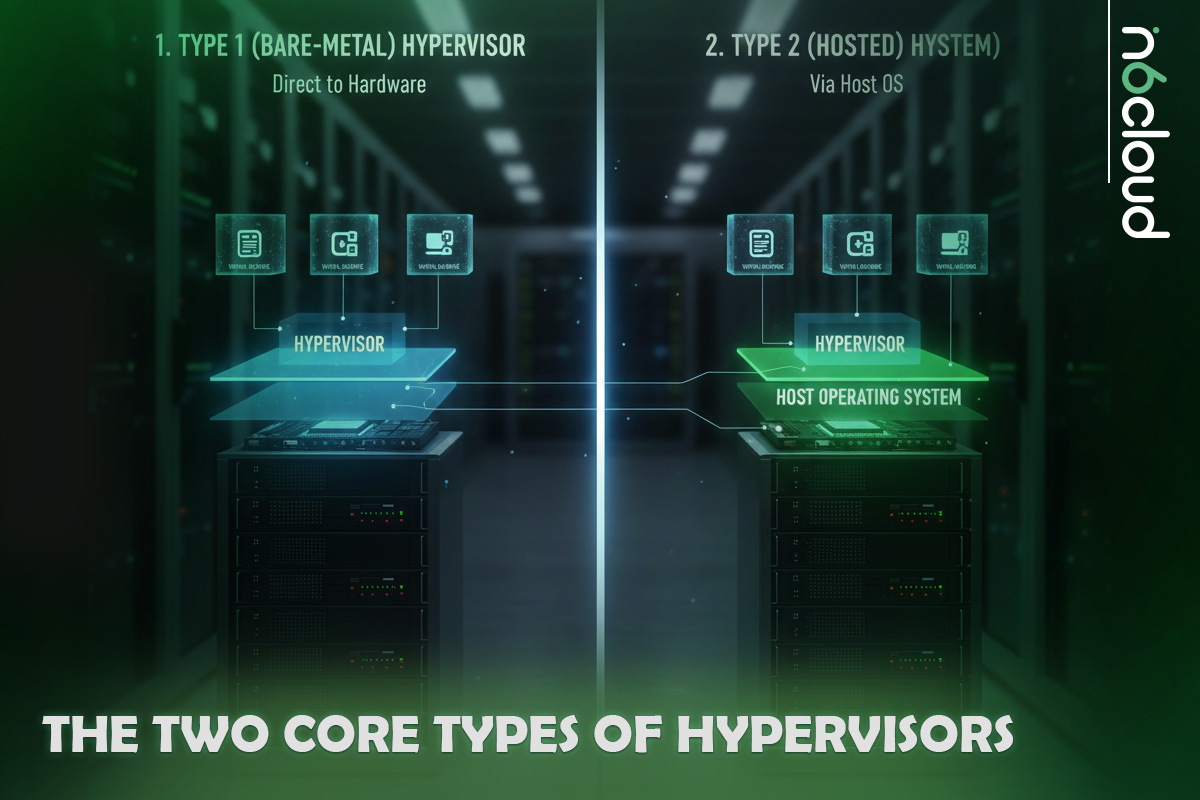
The Two Core Types of Hypervisors
Type 1: Bare-Metal Hypervisors for Enterprise Performance
A Type 1 hypervisor runs directly on the server hardware and does not require a host operating system. This design provides high performance, strong isolation, and greater stability, making it the preferred choice for production environments, data centers, and cloud platforms.
Because a Type 1 hypervisor interacts with hardware at the lowest possible level, it can schedule resources efficiently and maintain consistent performance even when running many virtual machines. It also offers advanced features such as high availability, live migration, and enterprise-grade security.
Common Type 1 hypervisors include:
- Microsoft Hyper-V
- VMware ESXi
- KVM (Kernel-based Virtual Machine), which is embedded in the Linux kernel
These platforms are widely used in enterprise virtualization, private cloud deployments, and hosting provider environments where reliability and performance are critical.
Type 2: Hosted Hypervisors for Testing and Development
A Type 2 hypervisor runs on top of an existing operating system such as Windows, macOS, or Linux. It relies on the host OS for hardware access, which makes it easier to install and manage but less suitable for production workloads.
This type of hypervisor is commonly used for development, testing, labs, education, and situations where convenience and portability matter more than raw performance. It provides a simple way to run multiple operating systems on a workstation or laptop without modifying the underlying hardware.
Examples include:
- VMware Workstation
- VMware Fusion
- Oracle VirtualBox
While Type 2 hypervisors are not ideal for enterprise workloads or high-density environments, they play an essential role in software testing, training, and rapid prototyping.
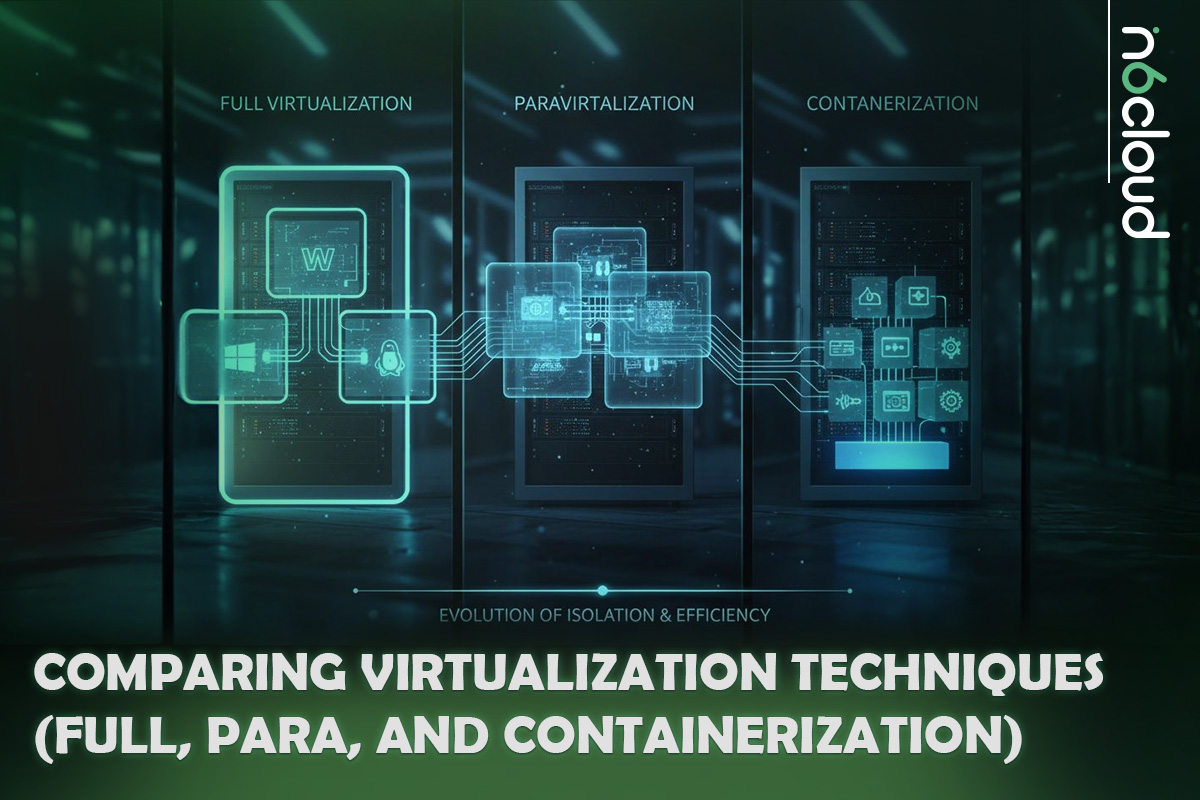
Comparing Virtualization Techniques (Full, Para, and Containerization)
Full Virtualization for Maximum Compatibility
Full virtualization provides complete emulation of the underlying hardware. The guest operating system does not need to be aware that it is running in a virtualized environment. It behaves exactly as it would on a physical server, allowing unmodified operating systems to run without change.
This approach offers strong compatibility and makes migration easier. It is also the most common method used by modern hypervisors that rely on hardware-assisted virtualization technologies such as Intel VT-x and AMD-V. Although full virtualization introduces a small amount of overhead, it is suitable for most production workloads where flexibility and compatibility are priorities.
Para-Virtualization for Higher Performance
Para-virtualization requires the guest operating system to be modified so it can communicate directly with the hypervisor. Instead of relying on full hardware emulation, the guest OS uses special interfaces to request resources more efficiently.
This results in lower overhead and better performance compared to full virtualization. Para-virtualization is commonly associated with older Xen deployments and specialized environments that require very high performance with limited resource consumption. Modern systems often combine hardware-assisted virtualization with para-virtualized drivers, such as VirtIO, to improve throughput and reduce latency.
OS-Level Virtualization and Containerization
OS-level virtualization takes a different approach. Instead of virtualizing hardware, it creates isolated user-space environments that share the same kernel. Solutions such as Docker and Linux Containers (LXC) allow applications to run in lightweight, isolated units called containers.
Containers start quickly, consume fewer resources, and support high-density deployments. This makes them ideal for microservices, CI/CD pipelines, and modern cloud-native architectures. The main limitation is that all containers must use the same kernel type as the host, which reduces flexibility compared to traditional virtual machines. For workloads that require complete isolation or different operating systems, full virtualization remains the better option.
The Role of Hardware-Assisted Virtualization
Modern CPUs include virtualization extensions that significantly improve hypervisor performance. Intel VT-x and AMD-V enable specific virtualization tasks to be handled directly by the processor rather than emulated by software. Memory virtualization technologies, including Extended Page Tables (EPT) and Rapid Virtualization Indexing (RVI), reduce memory operation overhead and improve VM responsiveness.
These hardware features enable full virtualization to run with near-native performance and are essential for high-density enterprise deployments.
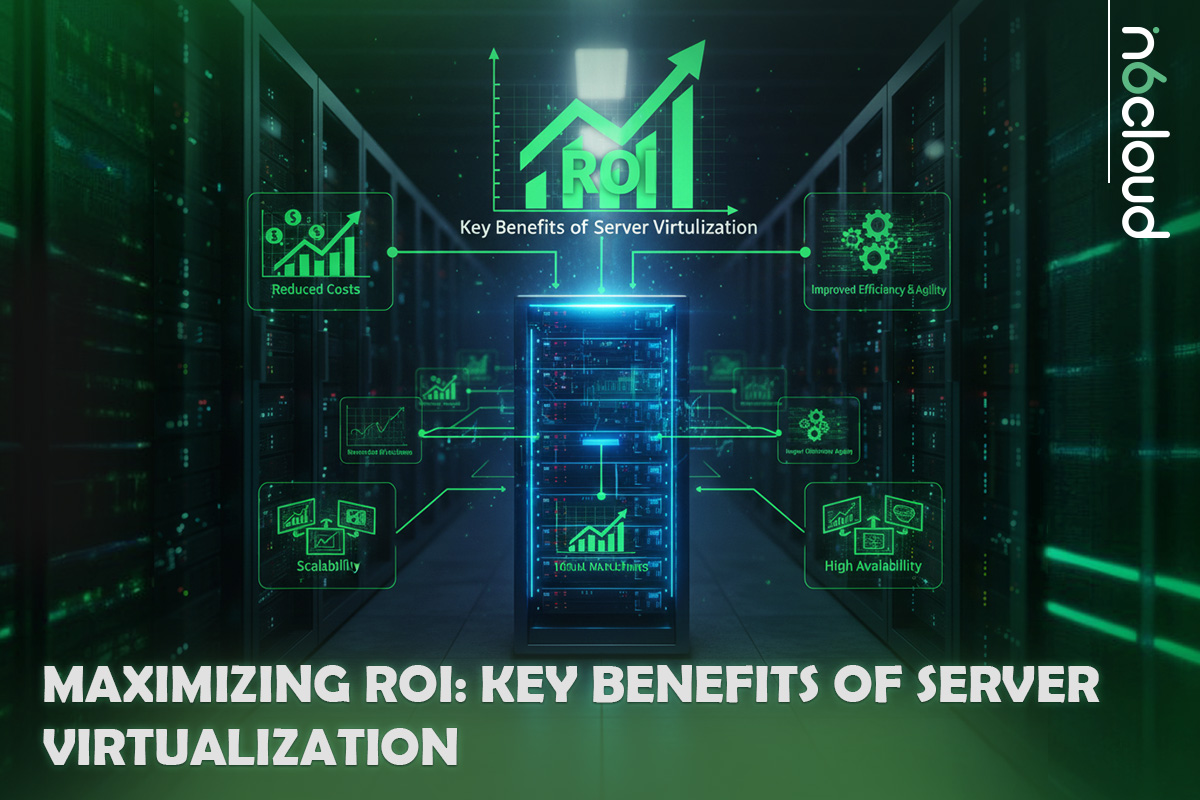
Maximizing ROI: Key Benefits of Server Virtualization
Cost Reduction and Server Consolidation
One of the most significant advantages of server virtualization is the ability to consolidate many workloads onto fewer physical machines. Traditional servers often operate at low utilization levels, resulting in wasted processing power, higher energy consumption, and increased hardware costs. Virtualization dramatically increases hardware utilization and enables organizations to run more workloads efficiently.
This reduction in physical hardware lowers capital expenses, such as server purchases and data center expansion. Operational expenses also decrease because fewer machines require power, cooling, rack space, and ongoing maintenance. In many environments, utilization levels can increase from 20% or less to 70-80% or higher after virtualization is implemented.
Enhanced Disaster Recovery and High Availability
Virtualization provides built-in capabilities that improve resilience and reduce recovery times after failures. Features such as snapshots, replica storage, and hypervisor-level clustering allow IT teams to protect workloads without relying solely on traditional backup tools.
Technologies such as Live Migration in Hyper-V and vMotion in VMware enable virtual machines to be moved between hosts without interrupting services. If a host requires maintenance, workloads can be relocated instantly and restored once the host is back online. Replication tools such as Hyper-V Replica or Azure Site Recovery can maintain up-to-date copies of VMs at a secondary site, resulting in significantly lower recovery time objectives in the event of a disaster.
Development Acceleration and Isolated Testing
Virtual machines can be deployed in minutes, which removes the delays associated with provisioning physical hardware. This rapid deployment supports fast development cycles, automated testing, and the ability to replicate full environments for troubleshooting or evaluation.
Isolation is another key advantage. Development teams can test patches, new applications, operating system upgrades, and configuration changes in controlled environments that do not affect production workloads. This reduces risk and shortens the time needed to validate new software.
Operational Efficiency and Resource Optimization
Virtualization simplifies routine management by centralizing control of servers, storage, and networks into a single management interface. This allows administrators to standardize deployments, create predefined templates, and automate repetitive tasks.
Resource optimization plays a significant role in improving day-to-day operations. Hypervisors dynamically adjust CPU, memory, and storage allocations based on workload demand. For example, a VM can receive additional memory during peak periods and release it when demand decreases. This flexibility leads to predictable performance without overprovisioning physical hardware.
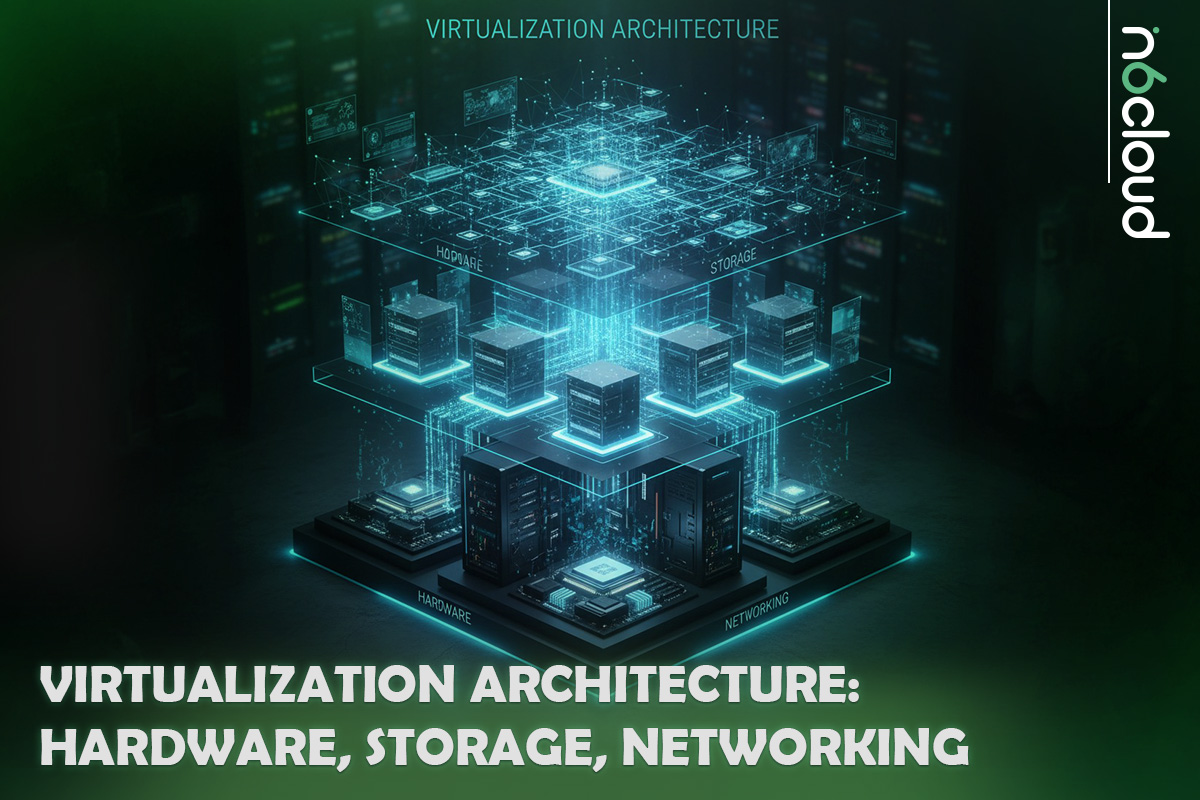
Virtualization Architecture: Hardware, Storage, Networking
Understanding the underlying architecture is essential for designing a stable, high-performance virtualization environment. CPU topology, memory management, storage design, and network configuration all play a direct role in how well virtual machines operate. The following components are the foundation of any enterprise-grade virtualized platform.
CPU Topology and NUMA Awareness
The relationship between virtual CPUs and the physical processor architecture directly impacts VM performance. A hypervisor schedules vCPUs on top of physical CPU cores, so an efficient design requires awareness of CPU topology and NUMA behaviour.
vCPU to pCPU Ratios
Virtual CPUs are often overcommitted to increase VM density. A ratio of 4:1 or 6:1 is common in general-purpose workloads, while database servers or latency-sensitive applications may require a lower ratio. Excessive overcommitment increases CPU ready time, slowing VM performance.
NUMA Boundaries
Multisocket hosts include multiple NUMA nodes. Each node has its own local memory. When a VM spans multiple NUMA nodes, cross-node memory accesses increase latency. Large VMs should be sized so that their vCPUs and memory stay within a single NUMA node whenever possible. VMware, Hyper-V, and KVM all expose NUMA topology to the guest OS to optimize scheduling.
Performance Considerations
To avoid contention, reserve physical cores for hypervisor operations and storage drivers. Consistent CPU models across cluster nodes also prevent migration issues and reduce the need for compatibility modes during Live Migration or vMotion.
Memory Allocation and Overcommit
Memory is usually the most limited resource in a virtualization host. Modern hypervisors offer several techniques to manage and optimize memory consumption.
Ballooning
Balloon drivers inside each VM allow the hypervisor to reclaim unused memory from underutilized guests. This technique helps balance memory across the cluster but should not be relied on for sustained workloads.
Compression
When memory pressure increases, hypervisors compress memory pages to reduce swap usage. Compression is faster than swapping but still introduces overhead.
Memory Swapping Risks
If the host exhausts all available memory, it begins swapping memory pages to disk. Swapping is slow and can severely degrade VM performance. Hosts should always maintain a buffer of unused memory to avoid hitting swap thresholds.
Storage Architecture
Storage performance directly affects VM boot times, database throughput, and general application responsiveness. A well-designed storage layer is essential for a successful virtualization deployment.
RAID10, RAID5, and ZFS Options
RAID10 provides the best balance of redundancy and performance, especially for write-intensive workloads. RAID5 or RAID6 can be used for archival or low-IOPS workloads, but are not recommended for heavy VM activity. ZFS offers strong protection through checksumming, copy-on-write, and integrated caching when paired with proper hardware.
Thin and Thick Provisioning
Thin provisioning allocates storage dynamically, allowing higher density at the cost of potential growth spikes. Thick provisioning reserves storage upfront and provides more consistent performance, especially in environments that rely on SAN or NVMe pools.
NVMe and SSD Performance Impact
Solid-state storage significantly improves virtual machine operations. NVMe drives offer lower latency and higher queue depths than SATA SSDs, which greatly benefit databases, mail servers, and high-transaction workloads running in VMs.
VMDK, VHDX, and QCOW2 Formats
Different hypervisors use different virtual disk formats. VMDK is common on VMware, VHDX is used in Hyper-V environments, and QCOW2 is standard on KVM. QCOW2 supports snapshots and compression, but has more overhead than raw images. VHDX offers strong protection against corruption. RAW disks provide the highest performance for KVM environments.
Networking in Virtualized Environments
Virtual networking defines how traffic flows between VMs, hosts, storage arrays, and management systems. Correct network architecture improves performance, simplifies troubleshooting, and enhances security.
vSwitches and Virtual Network Bridges
VMware uses vSwitches and distributed switches. Hyper-V uses the Virtual Switch. KVM platforms rely on Linux Bridge or Open vSwitch. Distributed switching allows consistent network configuration across multiple hosts and simplifies VM migration.
VLAN Tagging and Trunking
VLANs segment traffic into isolated logical networks. Trunk ports allow multiple VLANs to traverse a single uplink. This is essential for multitenant environments and secure separation of storage traffic, management traffic, and production workloads.
LACP Bonding for Redundancy and Throughput
NIC teaming increases bandwidth and adds redundancy. LACP enables link aggregation with switches so multiple physical ports operate as a single logical interface. This improves throughput and prevents outages caused by single NIC failures.
SR-IOV for Near Bare-Metal Performance
Single Root I/O Virtualization bypasses the vSwitch and assigns virtual functions directly from the physical NIC to VMs. This reduces latency and increases throughput, making it ideal for high-performance workloads such as packet-intensive applications, VoIP systems, and software-defined networks.
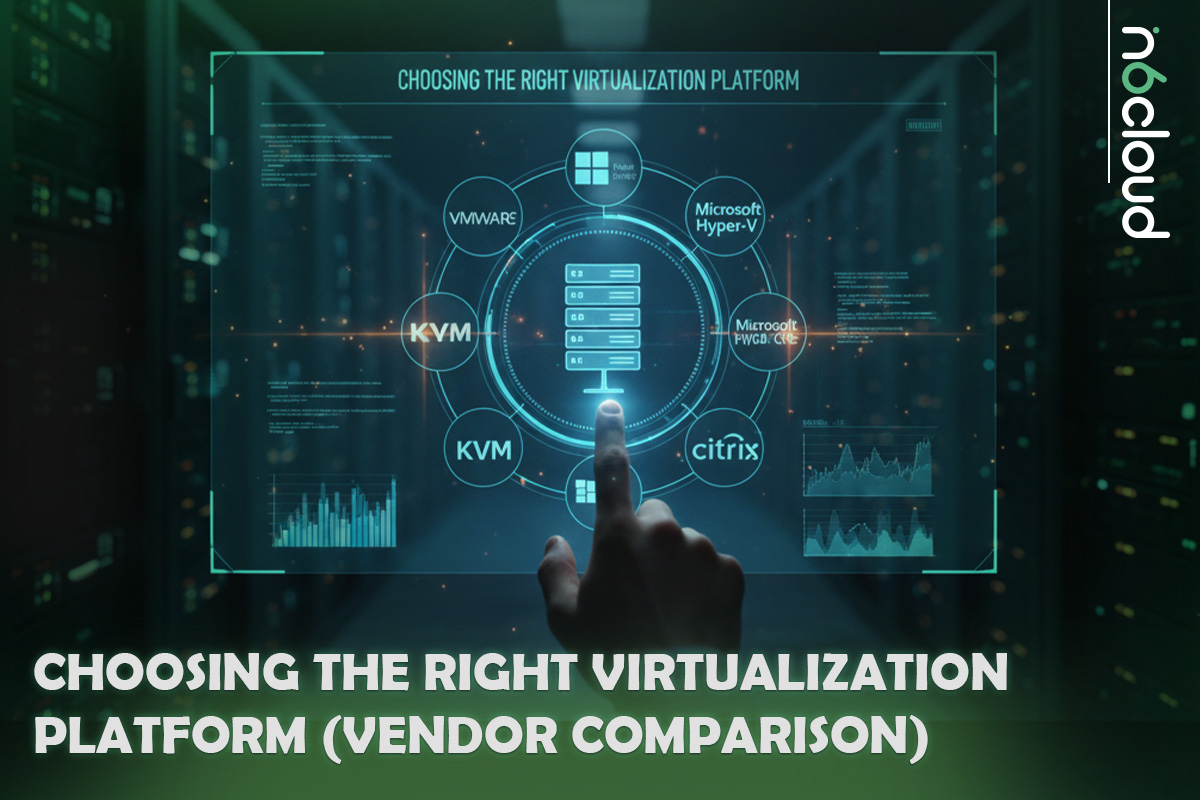
Choosing the Right Virtualization Platform (Vendor Comparison)
Selecting the right virtualization platform depends on your existing infrastructure, performance goals, licensing strategy, and operational requirements. Each hypervisor brings different strengths to the environment, ranging from deep integration with specific operating systems to large-scale clustering and cost-efficient deployment models. The following overview highlights the most widely used platforms and the scenarios where each one fits best.
Microsoft Hyper-V: Windows Ecosystem Integration
Microsoft Hyper-V is a Type 1 hypervisor built into Windows Server, making it a strong choice for organizations that already rely on Microsoft technologies. Its native integration with Active Directory, PowerShell, Failover Clustering, and System Center provides a consistent management experience across the Windows ecosystem.
Hyper-V supports advanced features such as Live Migration, Storage Migration, Replica for site-to-site protection, and hyperconverged architectures when paired with Storage Spaces Direct. For environments running Windows workloads, Hyper-V can be very cost-effective because the hypervisor is included with Windows Server.
The licensing model is an important consideration. Windows Server Standard grants rights to run two Windows Server virtual machines per licensed physical host. Additional Standard licenses can be stacked if more Windows VMs are required. Windows Server Datacenter includes rights to unlimited Windows Server virtual machines, making it the better choice for high-density virtualization, private clouds, and large production clusters.
This combination of strong integration, familiar tooling, and flexible licensing options makes Hyper-V a practical platform for organizations that want reliable virtualization within a Microsoft-focused environment.
VMware vSphere: High Scalability and Advanced Features
VMware vSphere, powered by the ESXi hypervisor, is widely recognized as one of the most mature and feature-rich enterprise virtualization platforms available today. It is designed for environments that demand predictable performance, strong isolation, and advanced automation across large-scale clusters.
A key strength of vSphere is its extensive feature set. Tools such as vMotion, Storage vMotion, Distributed Resource Scheduler, High Availability, and Fault Tolerance give administrators powerful control over workload placement, failover protection, and cluster health. vCenter Server provides centralized management for hosts and VMs, along with role-based access control, lifecycle management, and monitoring capabilities that help maintain performance and compliance.
VMware is often selected for mission-critical applications, high-density cluster deployments, and data centers that require consistent performance under heavy load. While licensing costs are higher compared to other platforms, the stability, automation, and operational efficiency provided by vSphere justify the investment for many enterprises.
Open-Source Alternatives: KVM and Proxmox VE
Open-source virtualization platforms offer a flexible and cost-efficient option for organizations that prefer Linux-based ecosystems or want full control over their infrastructure. These platforms deliver strong performance and enterprise-ready features without the licensing costs of proprietary hypervisors.
KVM (Kernel-based Virtual Machine)
KVM is integrated into the Linux kernel and functions as a true Type 1 hypervisor. It supports hardware-assisted virtualization through Intel VT-x and AMD-V and works with VirtIO drivers to deliver high performance for disk and network operations. KVM is widely used in private and public cloud platforms, including environments built on OpenStack, CloudStack, and other orchestration frameworks. It is valued for its stability, scalability, and compatibility with modern automation tools.
Proxmox VE
Proxmox VE builds on KVM and LXC to provide a complete virtualization and container management solution through an intuitive web interface. It includes clustering, live migration, built-in backup tools, snapshots, and optional integration with Ceph for distributed storage. Proxmox is popular in labs, hosting providers, and production environments that want enterprise features without proprietary licensing costs. Its ease of deployment and strong community support make it an attractive alternative to commercial hypervisors.
Xen-Based Platforms
Although less common today, Xen remains relevant in specific environments. It offers both full virtualization and para-virtualization modes, giving administrators flexibility to optimize performance for specific workloads. Xen played a significant role in early cloud architecture and continues to appear in specialized or legacy deployments.
Implementation and Best Practices for VM Management
Hardware Planning and Core Requirements
Successful virtualization begins with selecting the right hardware. Modern hypervisors rely heavily on CPU virtualization extensions such as Intel VT-x and AMD-V, as well as advanced memory virtualization features such as EPT and RVI. Hosts should provide sufficient CPU capacity, large memory pools, and storage solutions that support high input and output throughput. Solid-state drives (SSDs) or NVMe-based storage are strongly recommended for virtual machines running databases or other data-intensive workloads.
Network design is also an important factor. Multiple network interfaces help separate management traffic, VM traffic, and storage communication. Redundant NICs and switch uplinks reduce the risk of outages and support higher bandwidth for clustered environments.
Preventing VM Sprawl and Resource Waste
VM sprawl occurs when virtual machines are created without proper oversight or lifecycle management. Over time, unused VMs consume storage, occupy compute resources, and increase administrative overhead.
Standardized VM templates help ensure consistency and prevent overprovisioning. Role-based access control restricts the ability to create new VMs to authorized personnel. Implementing expiration dates, approval workflows, and resource quotas encourages teams to decommission VMs that are no longer needed. Environments that adopt chargeback or showback reporting often see improved resource usage because teams become more aware of the cost of retaining idle systems.
Securing the Hypervisor Layer
The hypervisor is a critical component of the infrastructure, so its security directly impacts all workloads. Hosts should be placed on isolated management networks with access restricted to trusted administrators. Two-factor authentication, VPN access, and strong password policies reduce the risk of unauthorized access.
Role-based access control ensures that users have only the permissions they need. Hypervisor updates should be applied regularly to address vulnerabilities and improve stability. Virtual Trusted Platform Module devices, Shielded Virtual Machines, and features that support secure boot help protect workloads from tampering. Network segmentation through VLANs and firewall rules further isolates sensitive systems and prevents lateral movement in the event of an incident.
Disaster Recovery: Choosing the Right Backup Method
Virtual machines require backup methods that understand hypervisor structures, configuration metadata, and snapshot mechanisms. VM-aware backup tools capture complete VM states, including virtual disks, configuration files, and change tracking data. This approach avoids the overhead of in-guest agents and provides faster recovery times.
For business continuity, backups should be stored on separate media or replicated to another site. Hypervisor-level replication tools maintain near real-time copies of VMs at a secondary location. Combined with storage snapshots and regular testing of recovery procedures, these tools ensure that critical workloads can be restored quickly after a failure.
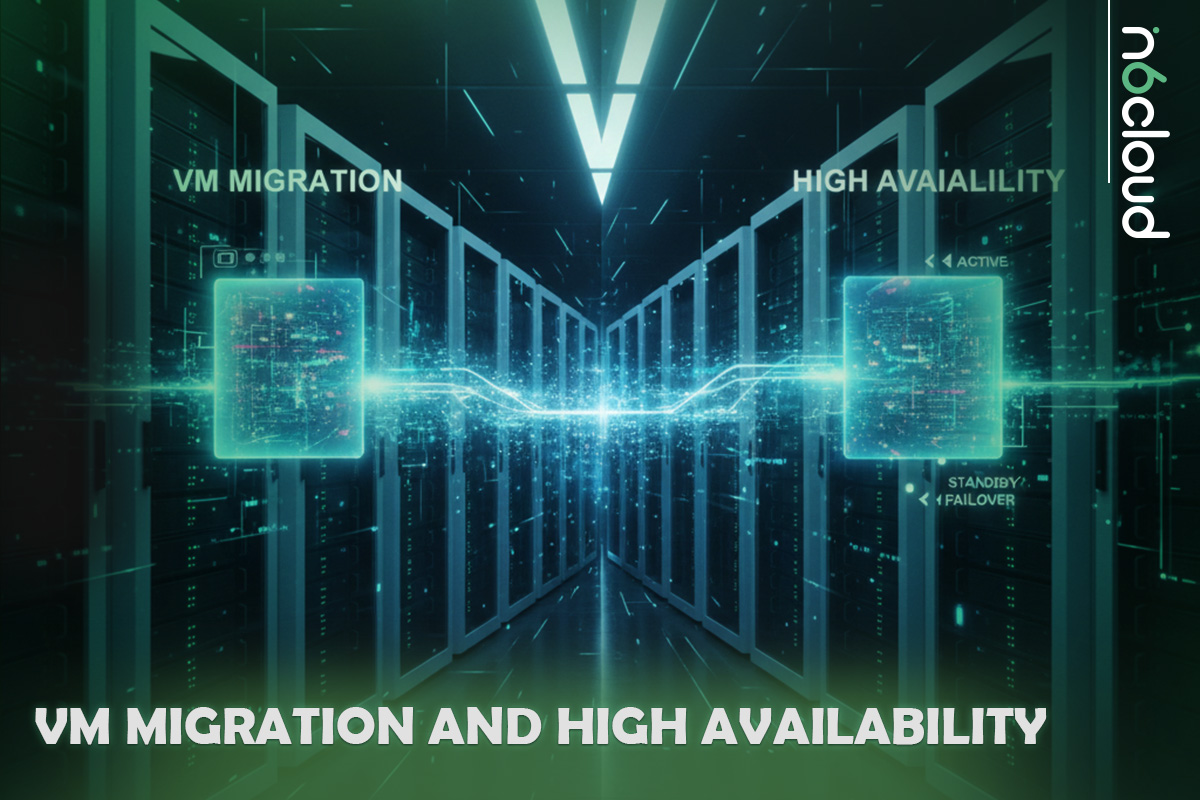
VM Migration and High Availability
Virtualization platforms include built-in mechanisms to keep workloads running even when underlying hosts are undergoing maintenance or fail. These features allow virtual machines to move between hosts with minimal or no service interruption, forming the foundation of a resilient virtual infrastructure.
Understanding Live Migration
Live migration allows a running virtual machine to move from one host to another without shutting down the guest operating system. The hypervisor transfers the VM’s memory state, CPU context, and device information while the workload continues to operate. During the final synchronization, the VM is paused for a brief moment, usually less than a second, before it resumes operation on the target host.
Technologies differ slightly by platform. VMware uses vMotion, Hyper-V uses Live Migration, and Proxmox uses KVM live migration with QEMU.
To perform smooth live migrations, hosts must have consistent CPU families, access to the same shared storage, and aligned network configurations.
Shared Storage Requirements for Migration
Most hypervisors rely on shared storage so that virtual machines do not need to move disk files during migration. Shared storage ensures that all hosts have access to the same virtual disks, which makes the migration process faster and more stable.
If shared storage is unavailable, some platforms offer storage migration or replication features that move disks between hosts. However, these operations typically take longer and are not ideal for frequent migrations.
Clustered High Availability
High Availability protects workloads from unexpected host failures. When a hypervisor host becomes unresponsive, cluster services detect the failure and automatically restart affected VMs on another host. This process reduces downtime and prevents service interruptions.
VMware HA, Hyper-V Failover Clustering, and Proxmox HA Manager all provide a proven approach to maintaining uptime during host failures.
CPU Compatibility Considerations
Virtual machines migrate successfully only when the target host uses a compatible CPU instruction set. Differences between processor generations or vendors can prevent VM mobility. Hypervisors include compatibility modes that mask advanced CPU features to allow broader migration options, but these features can reduce performance.
Maintenance and Resource Optimization
Live migration and High Availability also support operational tasks such as applying firmware updates, installing patches, and replacing hardware. Administrators can evacuate a host, perform maintenance, and return it to service without disrupting workloads.
Distributed resource schedulers can redistribute VMs automatically based on resource utilization. This ensures that workloads receive adequate CPU and memory while preventing individual hosts from becoming overloaded. Automatic balancing is one of the key benefits of operating a virtualized cluster.
Modern Virtualization in Cloud Environments
Virtualization is the foundation of modern cloud computing. Every cloud platform, whether public, private, or hybrid, relies on hypervisors to deliver scalable, on-demand computing resources. While traditional virtualization focuses on individual hosts and clusters, cloud virtualization adds orchestration, automation, and distributed resource management to create flexible and resilient environments that can grow with business needs.
How Virtualization Powers the Cloud
Cloud computing is built on the principle of abstracting physical hardware and delivering compute resources as a service. Virtual machines run on hypervisors that operate on clusters of interconnected servers. When combined with orchestration platforms, virtualization enables instant provisioning, workload mobility, and efficient resource allocation across entire datacenters.
In a cloud environment, virtual machines are not tied to a specific host. Instead, they exist within a pool of compute, storage, and networking resources. This approach allows workloads to be moved, scaled, or restored anywhere within the cluster, improving uptime and simplifying operations.
Most public cloud providers rely on virtualization technologies such as KVM or custom hypervisor variants that support multi-tenancy, isolation, and high-density deployments. Private cloud platforms, including those built on VMware vSphere or Microsoft Hyper-V, follow the same architectural principles.
Cloud Orchestration and Automation Layers
Virtualization alone does not create a cloud. Orchestration platforms sit on top of the hypervisor layer to manage provisioning, scaling, networking, and lifecycle automation.
Examples include:
- OpenStack
- Microsoft System Center and Azure Stack
- VMware vRealize
- Apache CloudStack
- Proxmox Cluster and HA Manager
These orchestration systems provide the interfaces and APIs required to automate infrastructure. They handle tasks such as creating new virtual machines, allocating networks, managing storage, balancing workloads, and monitoring cluster health.
Automation is another key component. Tools like Ansible, Terraform, and PowerShell automate deployment and configuration tasks, reducing human error and speeding up service delivery.
Virtualization, Containers, and Serverless Computing
Modern cloud environments often combine virtual machines, containers, and serverless platforms. Each technology serves a different purpose.
Virtual Machines
Provide strong isolation and full operating system environments. They are ideal for monolithic applications, legacy systems, and workloads that require predictable performance.
Containers
Use OS-level virtualization to run lightweight, isolated application environments. They start quickly and are well-suited for microservices and continuous deployment pipelines. Platforms like Docker and Kubernetes rely on containers for high-density application delivery.
Serverless Computing
Runs functions that scale automatically based on demand. Virtual machines still exist in the background, but the cloud provider manages them. This model is ideal for event-driven applications and workloads with unpredictable traffic.
While containers and serverless technologies have gained popularity, virtual machines remain essential because they provide flexibility, isolation, and compatibility for a wide range of operating systems and enterprise workloads.
Multi-Tenancy and Security in Cloud Virtualization
Cloud environments often host multiple tenants on the same hardware. Virtualization plays a critical role in maintaining security and isolation. Hypervisors enforce VM separation, control resource allocation, and protect guest environments from unauthorized access.
Security features in modern virtualized clouds include:
- Secure boot and TPM-based integrity checks
- Encrypted virtual disks
- Shielded virtual machines
- VLAN or VXLAN isolation
- Dedicated management networks
- Micro-segmentation via software-defined firewalls
Multi-tenant isolation is essential for cloud providers and enterprises that operate shared infrastructure. Proper configuration and monitoring ensure that workloads remain protected and compliant.
Scalability and Elasticity Through Virtualization
One of the most valuable advantages of cloud virtualization is its ability to scale resources flexibly and efficiently. Virtual machines can be resized, redeployed, or moved to different hosts based on workload requirements. This enables quick response to changing demand, whether applications require more memory, additional CPU capacity, or new instances to handle increased traffic.
Virtualization enables rapid provisioning of compute resources, allowing new servers or application environments to be created within minutes. It also supports horizontal scaling, where additional VMs are added to distribute load across multiple nodes, and vertical scaling, where individual VM configurations are adjusted to provide more CPU or memory. Cluster schedulers and hypervisor management tools monitor workloads and automatically redistribute VMs, ensuring that hosts remain balanced and that critical services receive the resources they need.
This combination of rapid deployment, flexible scaling, and automated resource management is essential for modern applications that must deliver consistent performance and remain available even when demand fluctuates. It allows cloud environments to grow organically and adjust in real time, without requiring physical hardware changes or manual intervention.
Monitoring, Automation, and Scaling Virtual Infrastructure
Effective monitoring and automation are essential for maintaining a stable and efficient virtual infrastructure. As workloads grow and clusters become more complex, administrators rely on intelligent tooling to track performance, detect issues, and ensure that resources are allocated appropriately. Modern virtualization platforms include built-in monitoring capabilities, and most environments extend these features with external observability tools to achieve deeper visibility.
Monitoring Virtualized Environments
Monitoring in a virtualized environment focuses on both host-level and guest-level health. At the hypervisor layer, administrators watch metrics such as CPU ready time, memory pressure, storage latency, and network congestion. These indicators reveal when a host is becoming overloaded or when a VM is not receiving enough resources. Guest operating systems must also be monitored to ensure that applications inside the VM have sufficient compute and storage capacity.
Platforms such as VMware vCenter, Hyper-V Manager with System Center, Proxmox Dashboard, and Linux-based monitoring tools allow teams to visualize performance trends, set alerts, and track long-term utilization. More advanced observability platforms such as Prometheus, Grafana, Zabbix, and Datadog provide fine-grained monitoring and custom dashboards. Consistent monitoring helps prevent outages, improve performance, and reduce the risk of resource contention within the cluster.
Automation in Virtualization Management
Automation plays a central role in modern operations by reducing manual tasks and enabling consistent, repeatable workflows. Infrastructure-as-Code tools such as Terraform, Ansible, and PowerShell DSC would allow administrators to define and manage virtual machines, networks, and storage configurations programmatically. This approach eliminates configuration drift and ensures that new environments are deployed with the same standards as existing ones.
Automation also improves provisioning and lifecycle management. VM templates help maintain uniformity, while scripts and orchestration tools can handle patching, software deployment, capacity adjustments, and resource cleanup. Scheduled automation tasks free technical teams from repetitive duties and ensure that the environment remains healthy over time.
In larger environments, orchestration frameworks provide additional automation by integrating deployment, monitoring, and scaling into a single workflow. These systems enable dynamic resource allocation and help balance workloads across clusters to maintain optimal performance.
Scaling Virtual Infrastructure
Scaling a virtual environment involves adjusting resources to accommodate application growth or new business requirements. Virtualization supports both horizontal and vertical scaling. Horizontal scaling involves adding more VMs to distribute load, while vertical scaling increases the compute or memory resources assigned to existing VMs. Both methods are easier and faster than scaling physical hardware, which requires procurement, rack installation, and manual configuration.
Cluster-level scaling introduces additional flexibility. Administrators can add new hypervisor nodes to a cluster, allowing the platform to redistribute workloads and increase capacity. When combined with distributed resource schedulers, this process becomes nearly seamless. Workloads are automatically moved to new hosts, and resources are divided more evenly across the expanded environment.
Scaling also includes growth in storage and networks. Adding new NVMe drives, expanding SAN arrays, or increasing network bandwidth ensures that the infrastructure can sustain higher throughput and lower latency as the VM count increases. Cloud environments extend this flexibility even further by allowing capacity changes through simple API requests or orchestration commands.
Conclusion
Server virtualization has become an essential foundation for modern IT operations. It enables organizations to run multiple workloads on a single physical host, improve resource utilization, simplify management, and enhance resilience across the entire infrastructure. By understanding how hypervisors work, how different virtualization methods compare, and how architecture choices affect performance, IT teams can design environments that are efficient, scalable, and secure.
Virtualization remains central to cloud computing. It provides the flexibility needed to deploy applications quickly, scale systems in response to changing demands, and maintain uptime during maintenance or unexpected failures. Combined with strong monitoring, automation, and best practices for VM lifecycle management, virtualization creates a predictable and reliable platform for both traditional and cloud-native workloads.
Whether used in an on-premises datacenter or as part of a hybrid cloud strategy, virtualization offers a powerful way to modernize infrastructure and support long-term growth. For teams evaluating the next step in their cloud journey, technologies such as a Cloud Server build directly on the principles described in this guide and provide an accessible path to a more agile and resilient environment.