If you have ever looked at a hosting company’s pricing page and wondered why four products that all promise to put your website online can cost anywhere from a couple of dollars to a few hundred a month, you are asking the right question. This guide from n6cloud walks through what each type actually gives you, where each one runs out of room, and how to match the four to a real website.

What Is Web Hosting, and Why Does the Right Type Matter?
Every website lives on a computer that stays powered on and answers browser requests all day. Cloudflare’s Learning Center calls that machine the origin server, and hosting is the business of renting you room on one. The four types differ in one respect: how much of that machine is yours.
Definition of Web Hosting and How It Works
Web hosting stores your site’s files, meaning the HTML documents, images, stylesheets, scripts and database, on a server that is permanently connected to the internet, and delivers them on request. The MDN Web Docs explanation of a web server sets out the sequence plainly: your browser requests a URL, the server checks whether a matching file exists, and then returns the file or a 404 error. Dynamic sites such as WordPress add an extra step because the server first assembles the page from a database.
How Hosting Choice Affects SEO, Speed, and User Experience
Hosting sets the floor that every other speed improvement builds on. Google considers a Largest Contentful Paint of 2.5 seconds or less to be good at the 75th percentile of page loads, and its performance guidance recommends a Time to First Byte of 0.8 seconds or less. TTFB is the part your server controls, and it is spent before a single image or script begins to load. Our technical team sees the consequence in almost every migration: a site coming from a crowded server loses half a second or more on each request, and no front-end tuning can win that time back.
Diagram comparing how a physical server is divided in shared hosting, VPS hosting, cloud hosting, and a dedicated server, showing shared resources, hypervisor-allocated slices, a pooled cluster of servers, and one complete machine assigned to a single tenant
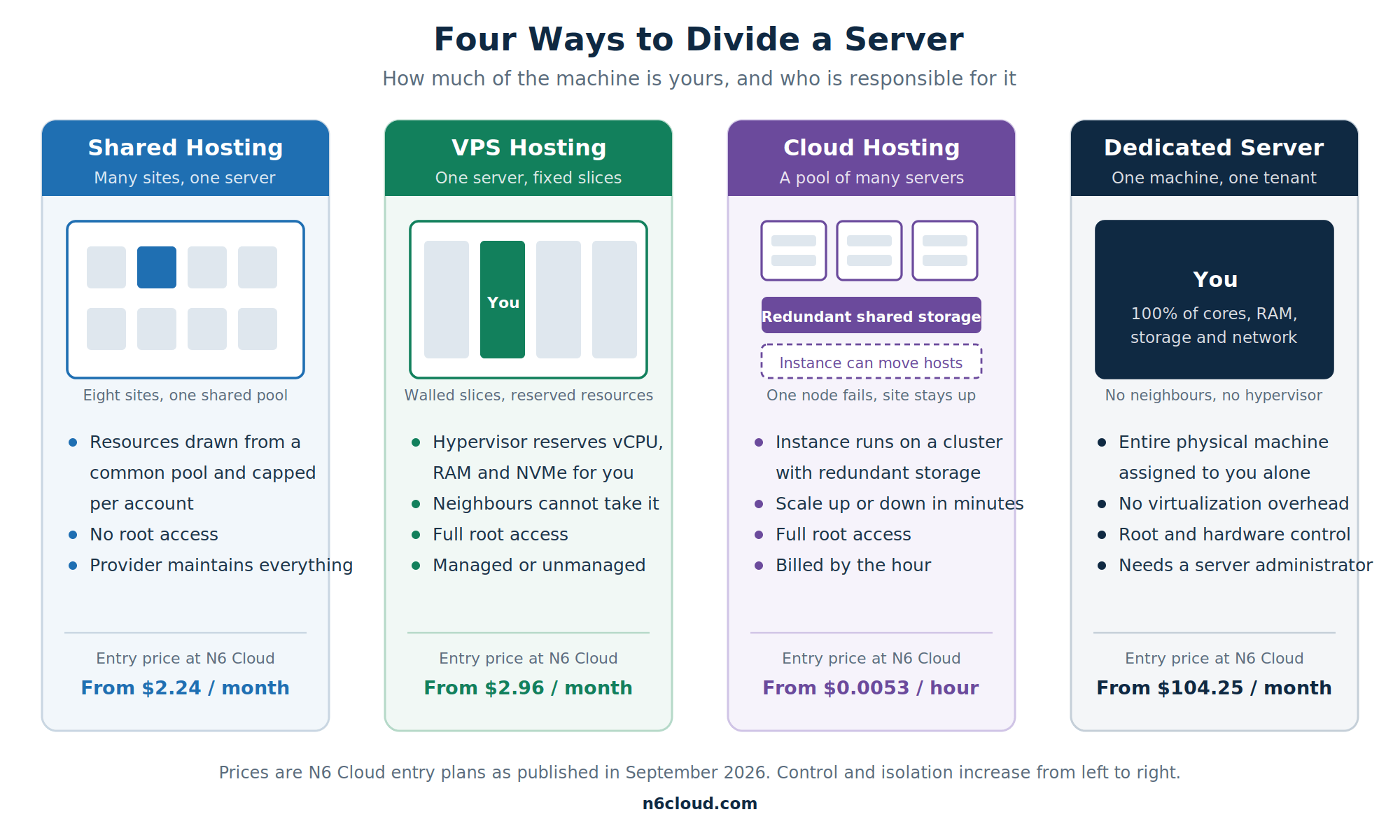 Figure 1: The same hardware, divided into four ways. The differences in price, control, and resilience all follow from this picture.
What Is Shared Hosting?
Shared hosting places many websites on a single physical server, where they draw from a common pool of CPU time, memory, and disk space. Each account is walled off with its own files, email, and control panel, but the underlying hardware is shared. It remains the most widely used model, and Grand View Research put shared hosting at 35.3 percent of the global market, the largest single segment. N6 Cloud’s shared hosting starts at $2.24 a month on NVMe storage in a British Columbia data centre.
Advantages of Shared Hosting
The appeal begins with price, because splitting one server among many customers is what makes hosting possible at a few dollars a month. Almost as valuable is that someone else handles system administration: the provider patches the operating system, updates PHP, renews the free SSL certificate, and runs daily backups. You also get a familiar control panel such as cPanel, a one-click installer for hundreds of applications, and free migration of an existing site. For anyone without a technical team, the learning curve is close to flat.
Disadvantages and Limitations of Shared Hosting
The pooling that makes shared hosting cheap is also what limits it. Your neighbours’ traffic surges and heavy scripts consume resources you were counting on, an effect the industry calls the noisy neighbour problem. Providers contain it by capping CPU, memory and the number of simultaneous processes per account, so a sudden rush of visitors is throttled or met with errors rather than being served. You also have no root access, which rules out custom software and any tuning outside the control panel. Email deliverability can suffer too, since your messages leave from an IP address shared with strangers.
Who Is Shared Hosting Best Suited For?
Shared hosting suits personal blogs, student portfolios, club sites, brochure sites for local businesses, and early-stage projects whose traffic is measured in thousands of visits per month rather than hundreds of thousands. It is also a sensible place to start before you know whether an idea will take hold, since the monthly cost is small and moving up later is quick. If your pages are mostly cached and you run no unusual software, you may never need more.
What Is VPS Hosting, and How Does It Differ from Shared Hosting?
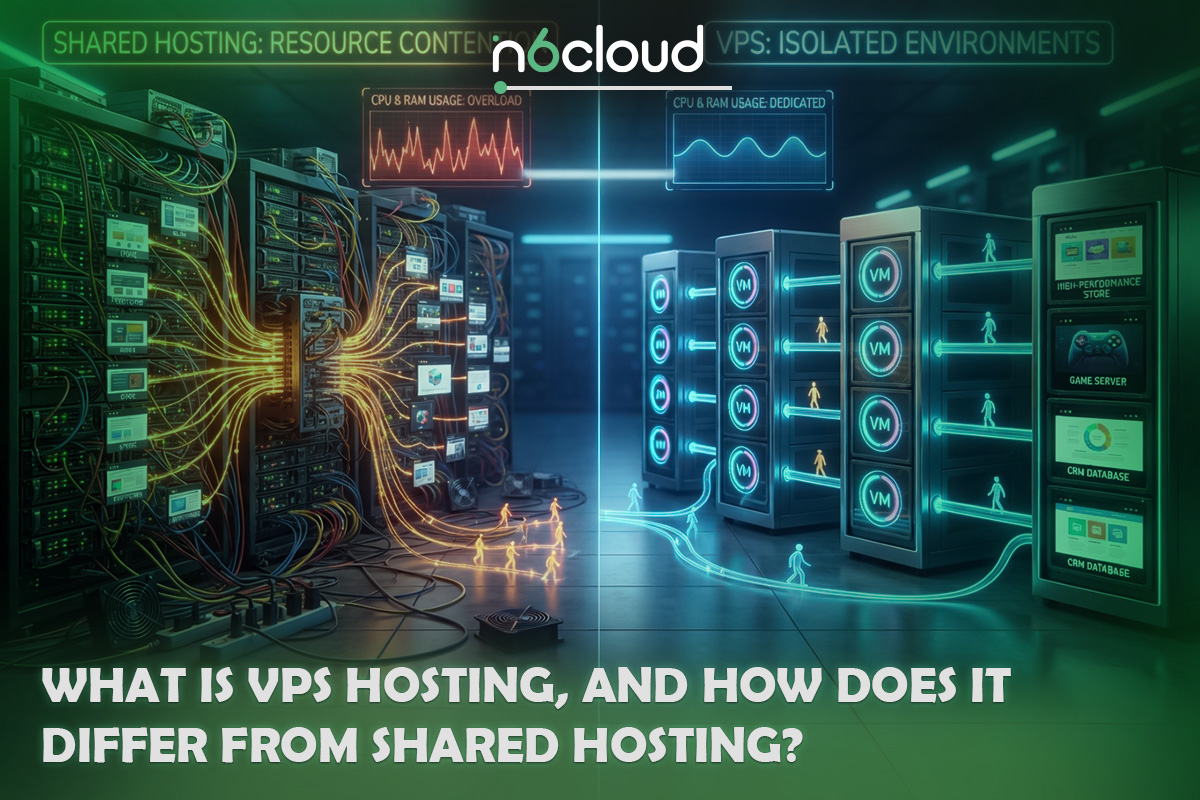
A virtual private server still sits on shared hardware, but the resemblance ends there. Software called a hypervisor divides the physical machine into separate virtual machines, each running its own operating system with a fixed allocation of vCPU, RAM and NVMe storage. That allocation is contractual rather than best effort, so a neighbour’s busy afternoon does not become your outage. You also get root access and a dedicated IP address, so you can choose your software stack rather than accepting a preconfigured one. N6 Cloud’s VPS hosting starts at $2.96 a month.
Advantages and Disadvantages of VPS Hosting
The advantages follow from isolation and control. Resources are reserved for you, performance holds up under load, and root access lets you install whatever your project needs, whether that is a specific PHP extension, Node.js or a custom database configuration. Scaling usually means selecting a larger plan and accepting a short reboot. The trade-offs are real. A VPS costs several times as much as shared hosting, and an unmanaged one gives you a bare operating system that you must secure, patch, monitor, and back up yourself. A misconfigured firewall is now your risk, not the provider’s. There is also a ceiling because a virtual server cannot grow beyond the physical host it lives on.
Managed vs Unmanaged VPS
The word “managed” refers to who performs the maintenance, not to the quality of the hardware. With an unmanaged VPS, you receive root credentials and an empty server, and everything above that line is yours: operating system updates, web server configuration, security hardening, monitoring and backups. With a managed VPS, the provider handles routine administration and usually includes a control panel licence, which is why N6 Cloud’s managed plans start at $28.24 per month, with DirectAdmin included. Choose unmanaged if you have Linux skills or a developer on hand, and choose managed when your time is better spent on the business than the server.
When Should You Migrate from Shared Hosting to VPS?
Our support team hears the same warning signs before almost every upgrade. Pages that used to load quickly now crawl during your busiest hours, or the site returns resource limit and 503 errors when a campaign lands. The control panel shows the CPU or entry process throttling several times a week. You need software that the shared environment forbids, such as a queue worker or a cron job that runs every minute. Traffic has grown steadily for months rather than spiking once. Any two of these together usually mean the site has outgrown a shared account.
What Is Cloud Hosting?
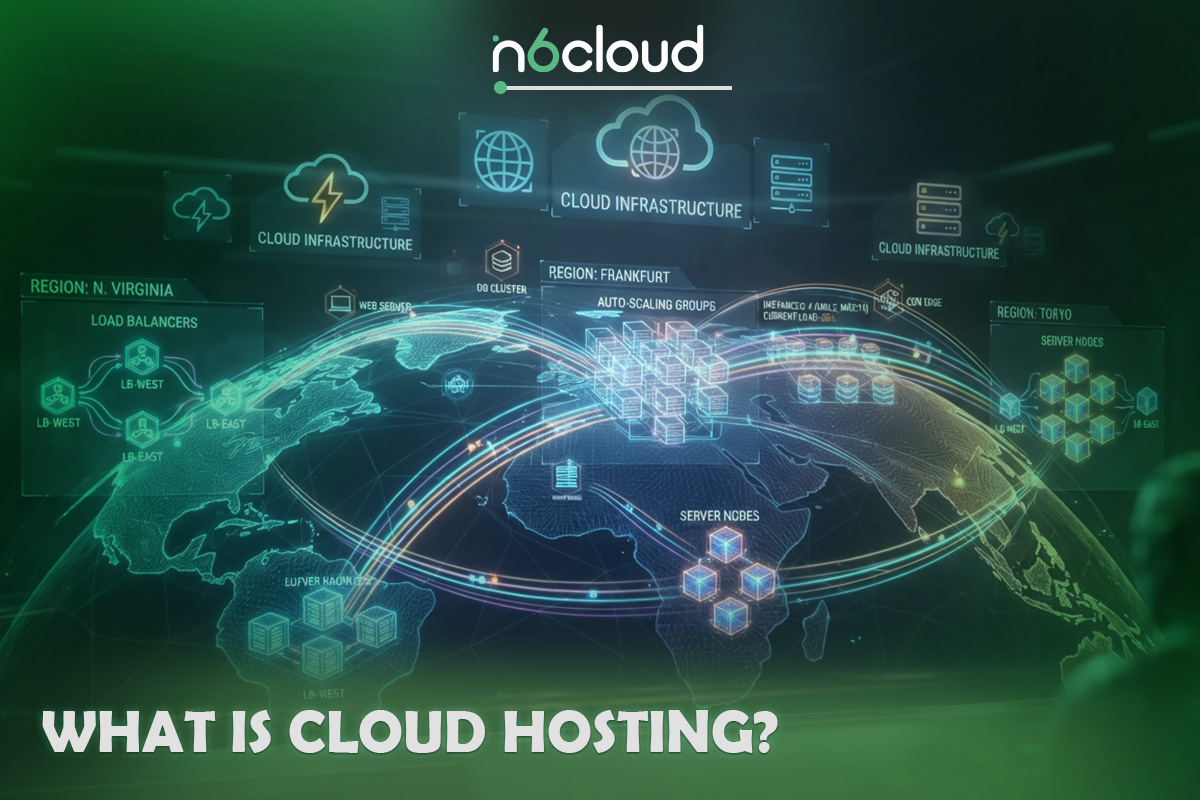
Cloud hosting takes the virtual server idea and detaches it from any single machine. Instead of one physical host carved into slices, a cluster of servers pools its CPU, memory, and storage, and your instance runs on that pool, with data stored on redundant enterprise storage. If one node fails, your workload continues on the others, which is why cloud hosting suits sites that cannot afford to be offline. N6 Cloud’s cloud hosting is billed hourly from $0.0053 per hour for a single core with 1 GB of RAM, with storage charged separately.
How Cloud Infrastructure and Resource Distribution Work
Picture a group of physical servers connected to a shared storage array rather than to their own local disks. A management layer decides which host runs your instance and can move it when hardware needs maintenance, while your files stay on the storage array where multiple copies are stored across different drives. Because resources come from a pool, adding two vCPUs or another 4 GB of RAM changes your allocation rather than migrating you to new hardware. Snapshots, private networks, firewalls and load balancers sit alongside the instance as building blocks.
Advantages and Disadvantages of Cloud Hosting
The strengths are elasticity, resilience and honest billing. You can scale up before a product launch and back down the following week; you pay by the hour for what you used, and no single failed disk takes your site with it. Full root access comes as standard. The weaknesses matter too. Billing that flexes upward is harder to forecast than a fixed monthly invoice, and a badly optimized site consumes more resources at a higher cost rather than being throttled. Most cloud instances are unmanaged, so the operating system remains your responsibility, and extras such as load balancers add to the bill.
Cloud vs VPS: Which Scales Better?
Cloud hosting scales further and faster because of its architecture. A VPS is bound to the physical host it runs on, so scaling beyond that host requires a migration with downtime, whereas a cloud instance draws from a pool that can be scaled in minutes. Cloud also survives hardware failure without your involvement, while a failed VPS host means a restore from backup. A VPS wins on cost predictability and simplicity when traffic is stable, as is the case for many business websites. Steady workloads suit a VPS; variable ones suit the cloud.

What Is a Dedicated Server?
A dedicated server is one entire physical machine leased to a single customer, with no hypervisor, no neighbours and no shared allocation. Every core, every gigabyte of RAM, and every drive belong to your workload, and you control the hardware, the operating system, and the security model from the ground up. Organizations choose it when performance must be consistent, when a regulator or client contract requires single-tenant infrastructure, or when the workload is too large to virtualize sensibly. N6 Cloud’s dedicated server line starts at $104.25 per month for a 10-core machine with 16 GB of RAM, and deployment takes 2 to 14 days because physical hardware must be provisioned.
Advantages and Disadvantages of Dedicated Servers
Nothing else matches a dedicated server for raw, predictable performance, because there is no virtualization overhead and no competition for resources. You can specify the hardware, run any operating system, meet single-tenancy requirements for compliance, and rely on a dedicated IP block for email reputation. The costs are equally clear. You are paying for the whole machine whether you use it or not, and idle capacity is money spent. Scaling means ordering new hardware rather than clicking an upgrade, and deployment takes days rather than minutes. Most importantly, running one well takes real expertise: kernel and package updates, firewall and intrusion prevention, RAID monitoring, backup verification and incident response. Without an experienced administrator or a managed service agreement, a dedicated server can end up less reliable than the shared plan it replaced.
Which Businesses Need a Dedicated Server?
Dedicated hardware earns its price for high-volume online stores during peak seasons, SaaS platforms with heavy database workloads, media sites serving large files continuously, and organizations handling health, financial or government data where single-tenant infrastructure is a compliance requirement rather than a preference. It also suits agencies and resellers that run many client sites from a single machine. The common thread is scale plus a technical team, because the businesses that benefit most are those with someone whose job includes the server.

A Hosting Selection Guide by Business Type and Scale
Most people choose hosting by reading feature lists, which is why so many end up on the wrong plan. A more reliable method is to answer four measurable questions before you look at any product page. What is your realistic monthly traffic, not your hopeful figure? How much can you spend every month for the next year? Who will administer the server, and what are their Linux skills? Does anything about your project, such as custom software, compliance obligations, or seasonal spikes, rule out an option? The answers usually leave one sensible choice and one reasonable upgrade path.
Decision guide showing which hosting type fits a project based on monthly traffic, monthly budget, available technical skill and special requirements, leading to shared hosting, VPS hosting, cloud hosting or a dedicated server
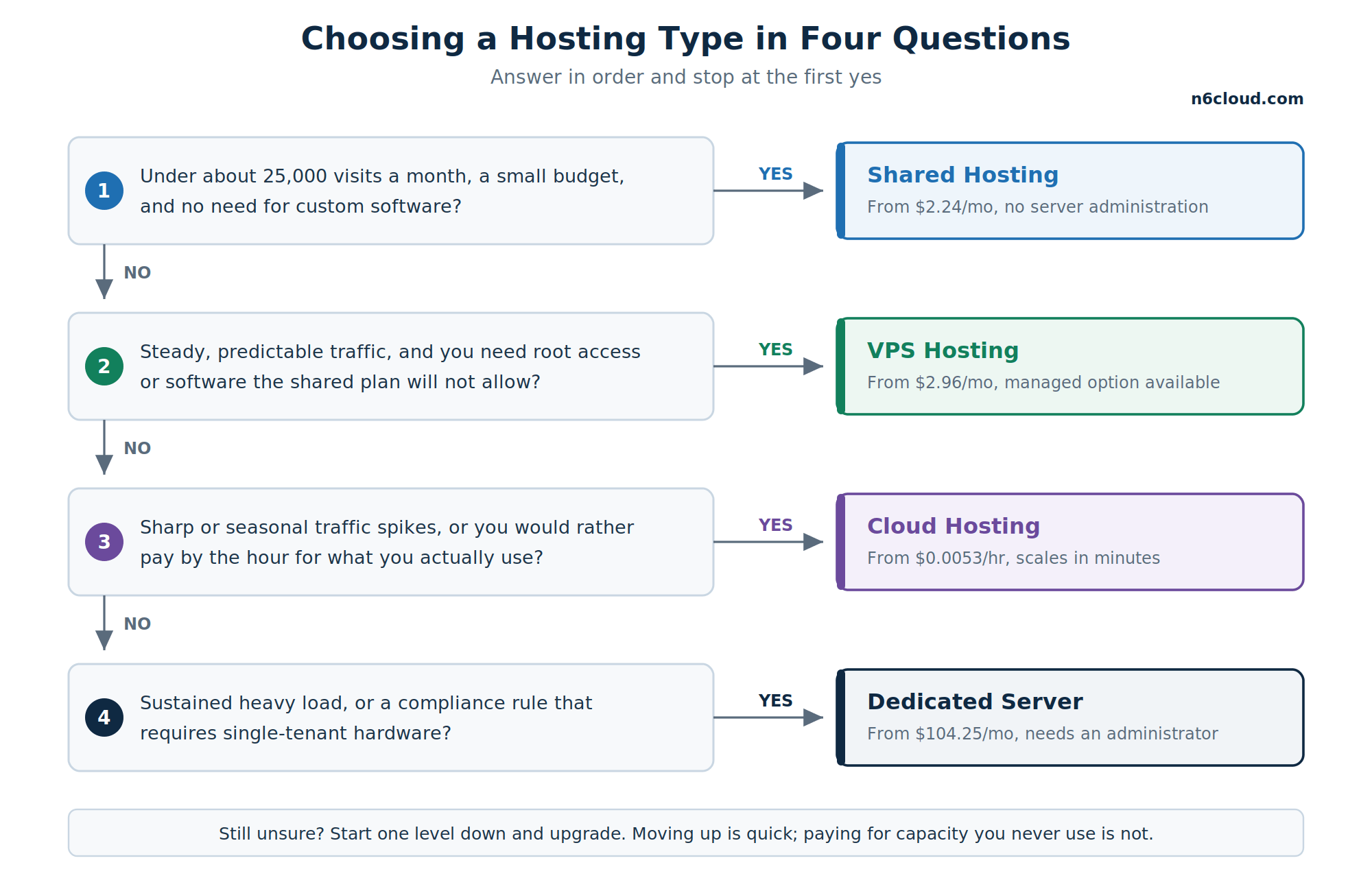 Figure 2: Four questions, four outcomes. Traffic and technical capacity matter more than feature lists.
Comparison Table of Hosting Types
The table below compares the four options using measurable criteria rather than adjectives, based on N6 Cloud’s published entry prices as of September 2026. Read the technical skill column carefully, because it is the factor most often underestimated. A cheap, unmanaged server that nobody has time to patch is more expensive than a managed plan once you factor in the incident it eventually causes. Note also that security responsibility shifts as you move right across the table: on shared hosting, the provider secures nearly everything, while on an unmanaged VPS, cloud instance, or dedicated server, the operating system and application layers become your responsibility.
Which Hosting Fits an Online Store, a Personal Blog, a Startup, or an Enterprise?
Across the projects our team has migrated, the pattern is consistent. A personal blog or portfolio belongs on shared hosting and usually stays there for years because cached pages require very little from a server. A growing online store is a classic VPS use case, since carts, checkouts, and account pages cannot be cached and need reserved CPU while a customer is paying you. Stores with concentrated seasonal peaks, such as Black Friday or a product drop, do better with cloud hosting, where capacity can be doubled for a week and then released afterward. Startups building an application rather than a website generally start on a small cloud instance for the same flexibility. Enterprises and regulated organizations opt for dedicated servers, usually for compliance and sustained load rather than raw speed. Many businesses end up combining two, such as a dedicated database server with cloud application instances in front of it.
Why Trust N6 Cloud for Your Web Hosting?
N6cloud is a Canadian hosting provider based in British Columbia, with a team that has more than 20 years of experience in web hosting and domain services. All four of the hosting types compared in this article are available from one provider, which matters more than it sounds: when a site outgrows shared hosting, moving it to a VPS, a cloud instance or a dedicated server happens inside the same account, with the same support desk and the same free migration assistance, instead of starting again somewhere else. Servers run on NVMe storage in Canadian data centres, which keeps latency low for Canadian visitors and keeps data within Canadian jurisdiction. Support is staffed 24/7/365 by people who work on these systems daily, plans carry a 99.9 percent uptime commitment backed by service credits, and free migration assistance is available on every tier. A money-back guarantee means you can test the fit rather than take our word for it, and if a plan turns out to be the wrong size, our team will tell you so.